WordPress plugin
Articles get written and published without leaving WordPress
Install the free plugin, paste your key and order a text straight from wp-admin. Smart-Copy researches sources, writes, generates a featured image and publishes the finished post — immediately, as a draft or on a schedule.
The plugin is free. You only pay for the texts you order — no subscription.
What every text includes
Whatever the length or topic — no add-ons, no subscription.
$0
subscription — you pay only for the texts you order
2 min
to install the plugin, no server setup
3
publishing modes: now, draft or scheduled
100%
refunded if a generation fails
From order to post — four steps
Your part ends after the first one. Below are real screens from wp-admin.
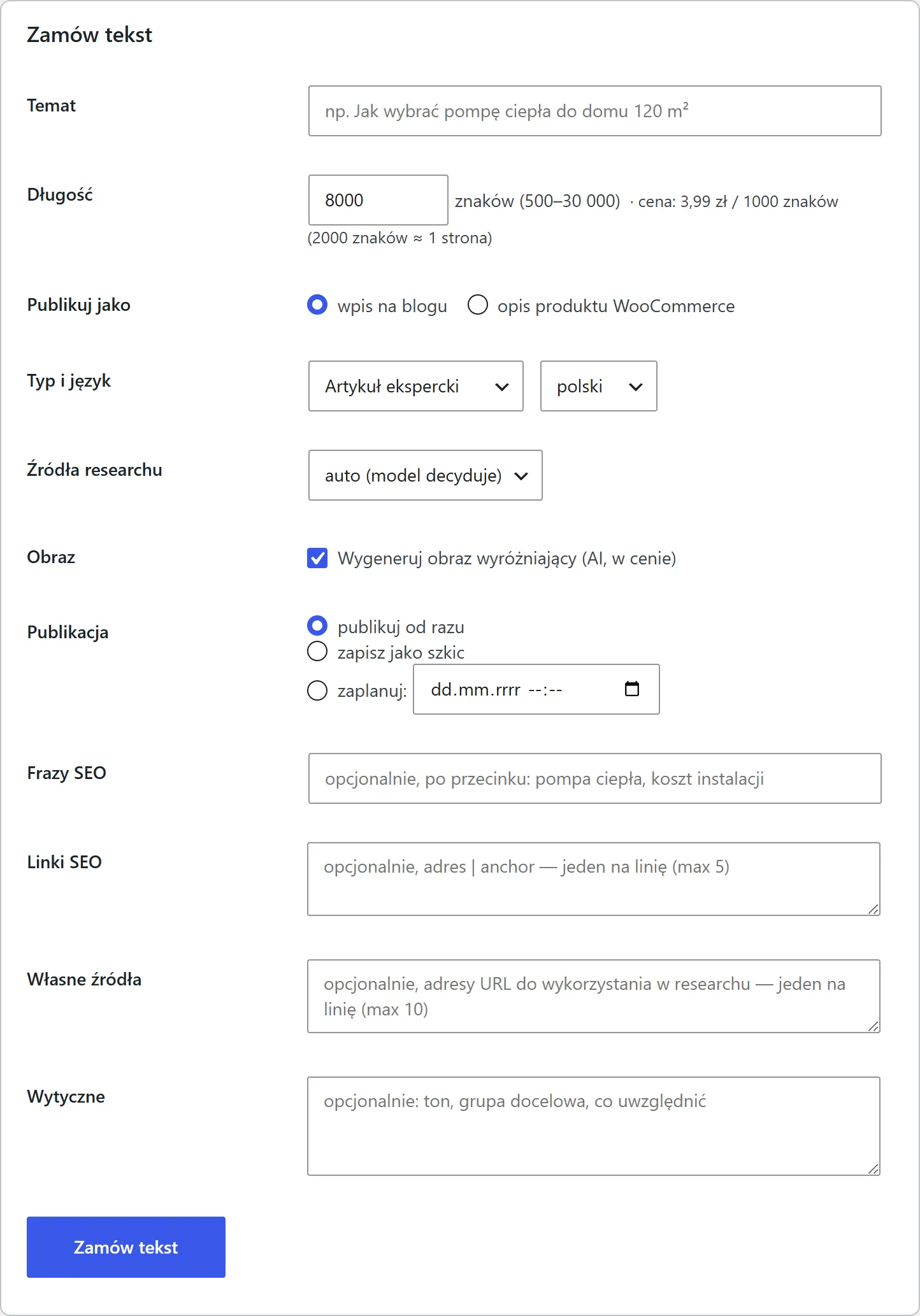
You order a text in wp-admin
Topic, length, text type, SEO keywords and links, your own sources, guidelines. You choose whether the post publishes right away, goes to drafts, or waits for a date.
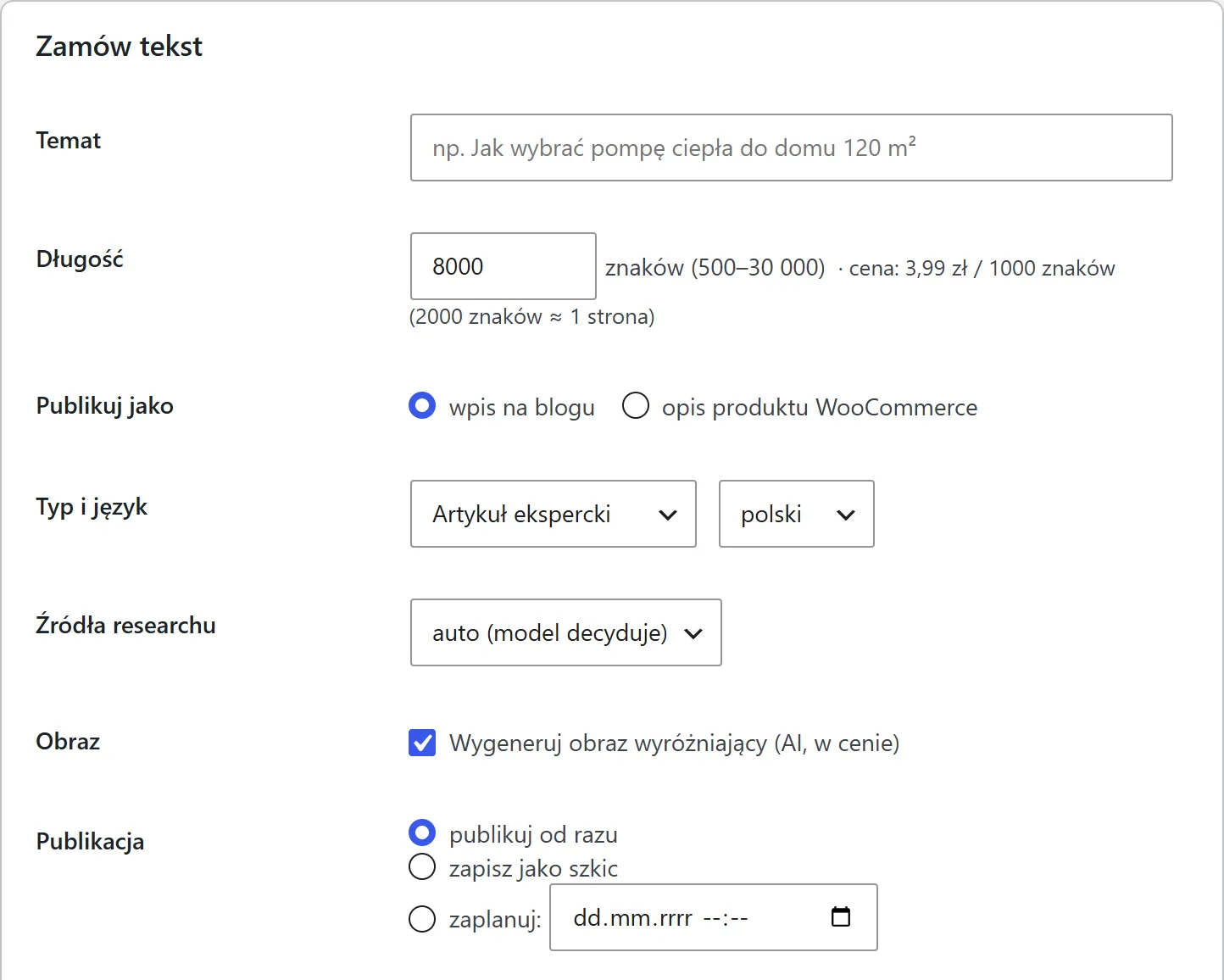
Autoblog runs the blog for you
The plugin reads your site's subject itself — title, tagline, categories and existing posts. From that it plans a 20-topic cluster, writes at your pace and publishes without reminders.
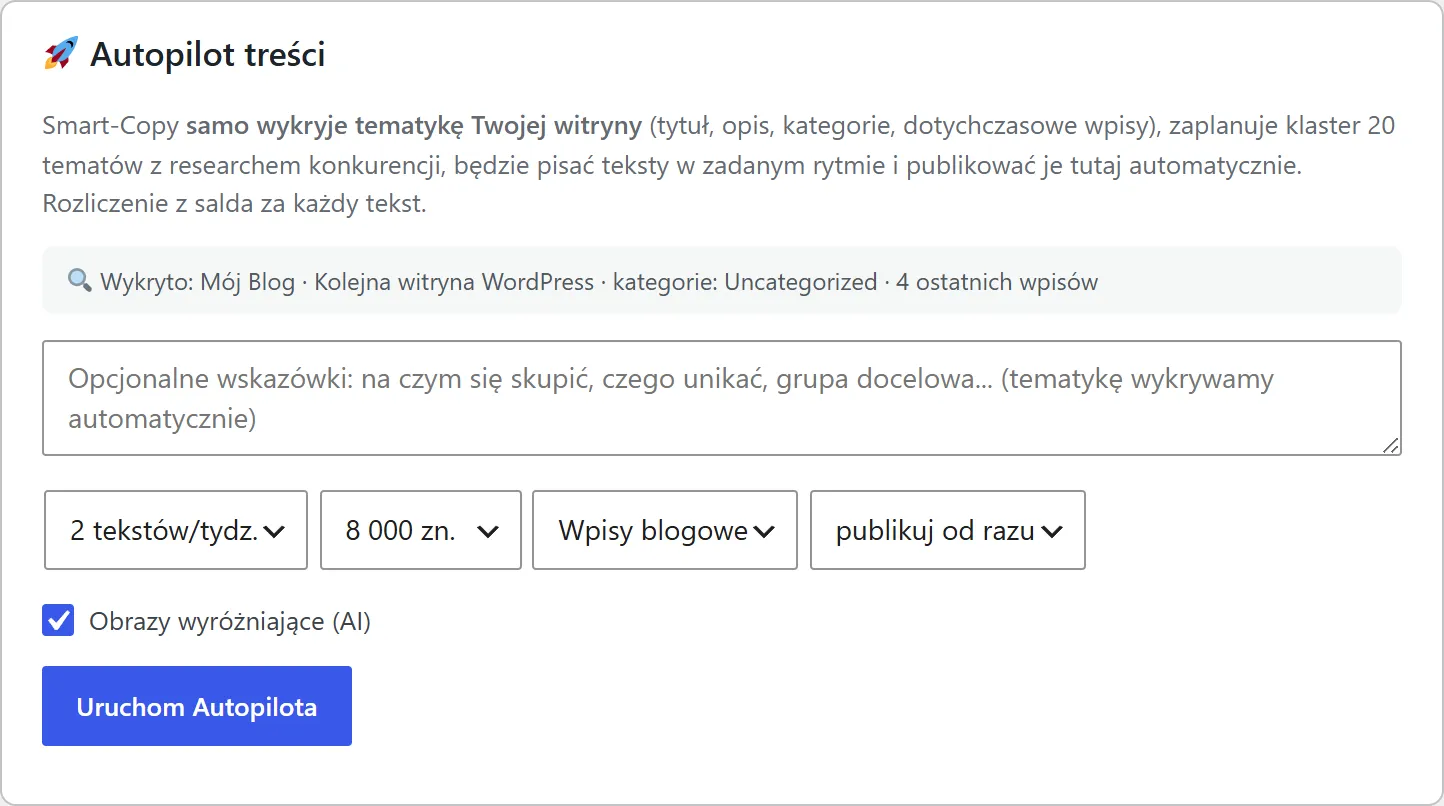
You track everything in one place
The recent texts list shows the status and cost of every order, with a link to the finished post. Your balance sits at the top of the screen.
The post lands on your blog
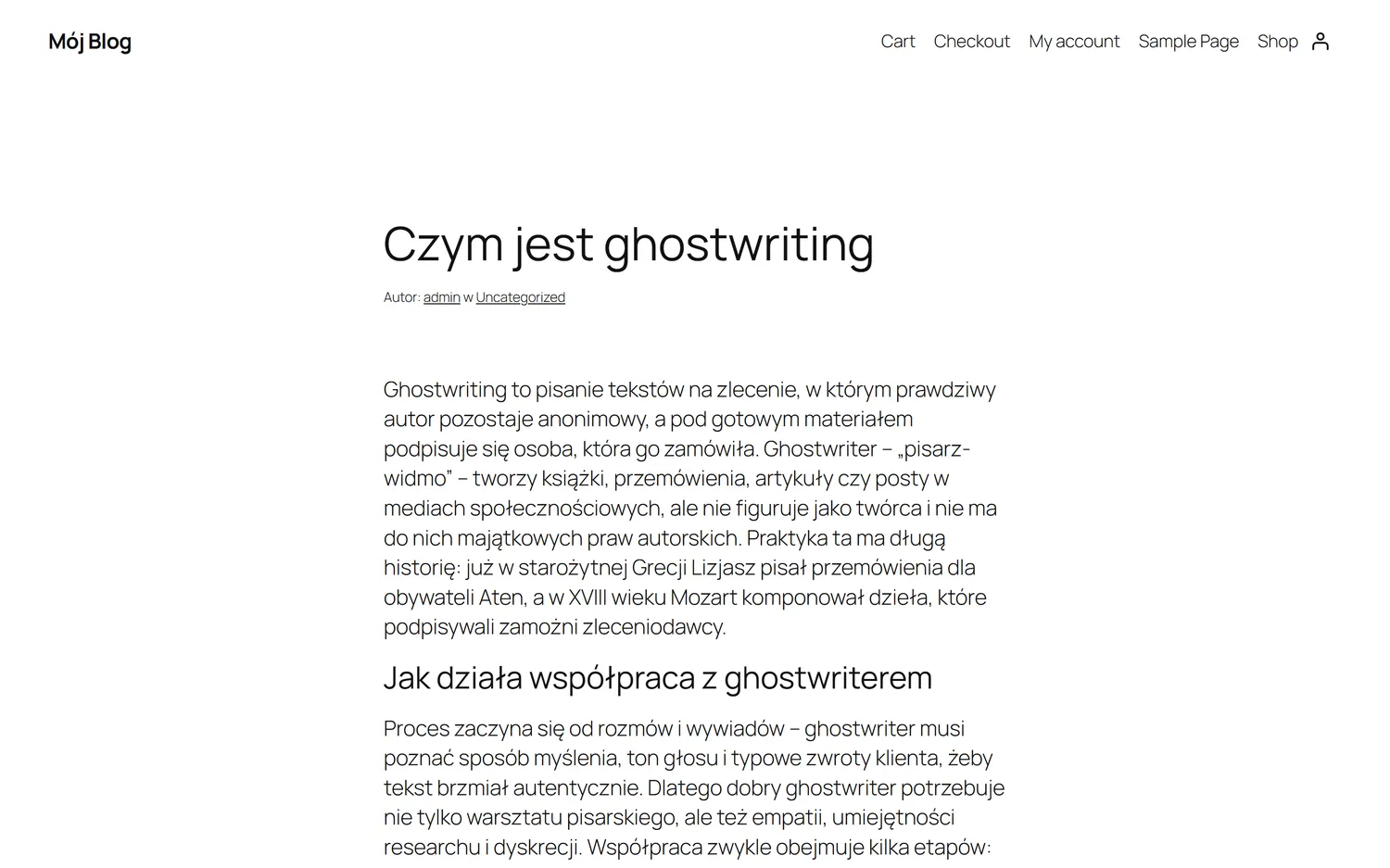
The finished article appears as a normal WordPress post — with a featured image, headings and formatting. You can edit it like any other.
Installing takes two minutes
No server configuration, no API keys to copy around.
- 1
Download the plugin
Get the ZIP with the button below, or any time from your Smart-Copy dashboard.
Get it from the WordPress directory - 2
Upload it to WordPress
Plugins → Add New → Upload Plugin → pick the ZIP → Install → Activate.
- 3
Connect your account
Settings → Smart-Copy: copy the connection key and paste it into your Smart-Copy dashboard next to your site.
- 4
Order your first text
Smart-Copy appears in the menu. Type a topic, set the length, done.
The plugin adds no scripts to your public site and does not affect its speed — it works only in the admin area and in the background.
Why this beats pasting from a chat
Research with sources
The text is built from pages that were actually read, and the source list sits next to every article. You can check them.
Featured image included
FLUX 1.1 Pro Ultra generates artwork that matches the topic and sets it as the post's featured image. No stock photos, no separate jobs.
Publishing with a schedule
Right away, as a draft, or on a future date. WordPress gets the correct status and publication time.
Never leave the dashboard
No copying between tabs, no manual HTML formatting, no uploading images.
WooCommerce product descriptions
If a shop is running, the same mechanism writes into a product description — one at a time or for many products at once.
Billed from your balance
You pay per character, with no subscription. Failed generations are refunded automatically.
Common questions
Does the plugin slow my site down? +
No. It adds no scripts or styles to the front end — it works in the admin area and in the background when collecting finished texts. Your visitors do not download a single extra byte because of it.
Do I need a Smart-Copy account? +
Yes. The plugin is free, but texts are billed from your Smart-Copy balance. Creating an account takes a minute and you paste the connection key once.
Does it work with Gutenberg and the classic editor? +
Yes. The post is created as standard WordPress content, so you can open and edit it in either editor, like any other article.
What about the featured image? +
It is generated together with the text and set automatically as the post's featured image, along with alt text. For WooCommerce products the plugin never overwrites existing photos.
Can I schedule publication for a specific day? +
Yes. When ordering, pick „schedule” and choose a date — the post arrives in WordPress with the scheduled status and publishes itself.
Does it work with WooCommerce? +
Yes. When a shop is active, the form gains a „WooCommerce product description” option, and the menu gains a screen for generating descriptions for many products at once.
Start with a single article
Create an account, get the plugin and order your first text. No subscription, no commitment.