WooCommerce
Product descriptions write themselves for the whole shop at once
The Smart-Copy plugin sees your products from the inside. It shows which ones lack a description, lets you select them in bulk and set the parameters once — and the finished texts land on the product pages by themselves.
The plugin is free. Every description is billed separately, like a regular order — no subscription.
What every description includes
Whatever the number of products or the length of the text.
$0
subscription — you pay for the descriptions you generate
2
fields to choose from: main and short description
0
photos overwritten — existing images stay untouched
100%
refunded if a generation fails
From a product list to finished descriptions
Three steps, all inside the WordPress dashboard. Real screens below.
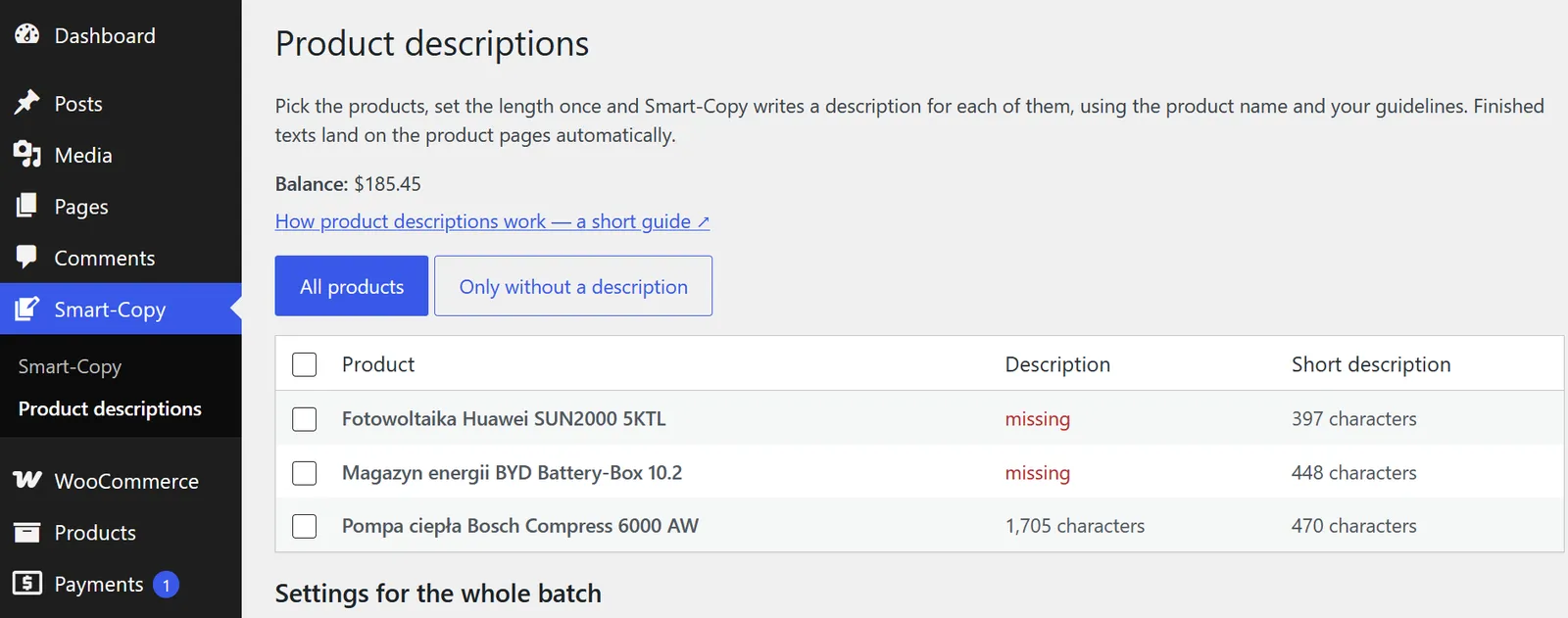
You see which products lack a description
The list shows how many characters each product's main and short description has — and flags what is missing. The „only without a description” filter narrows the view to what actually needs work.
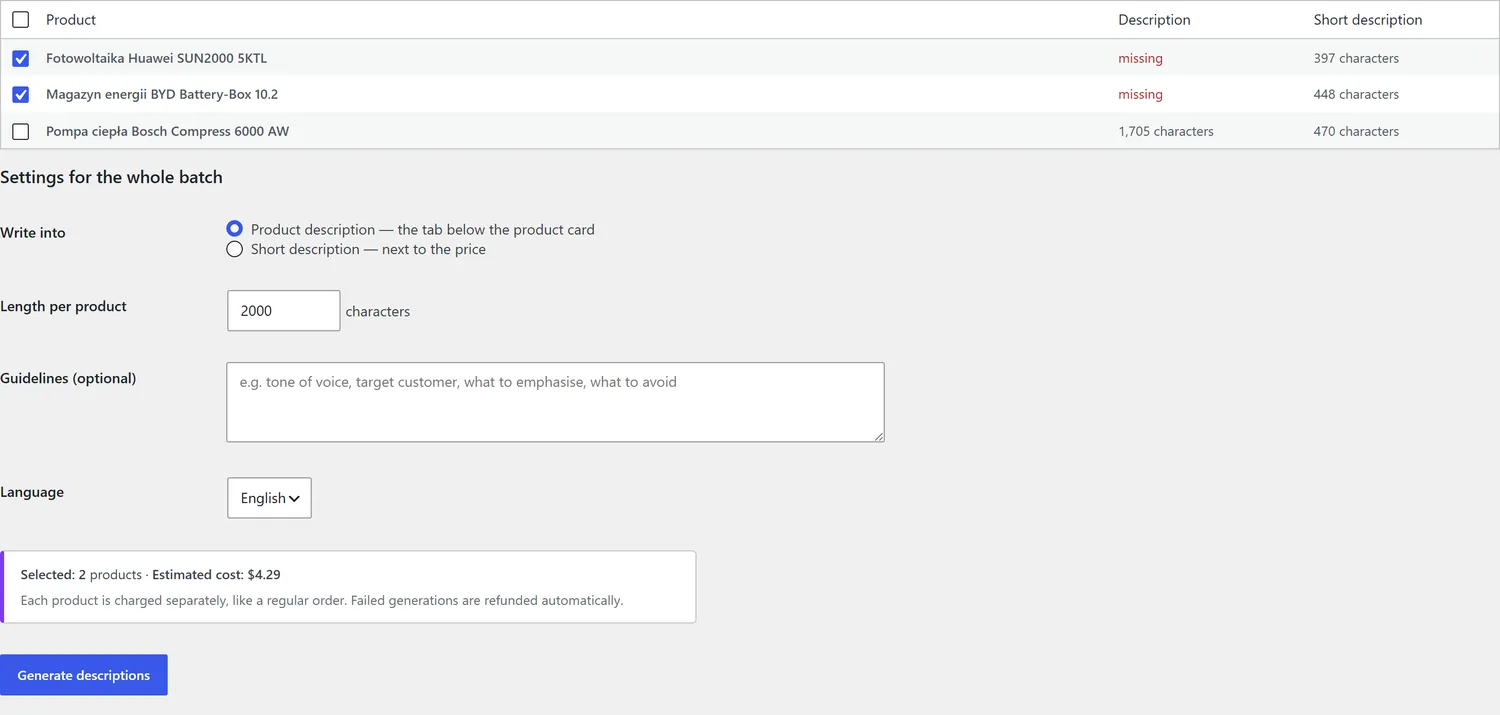
You set the parameters once, for the whole batch
Pick the field, length, language and guidelines — once, for every selected product. The cost updates as you go, before you order anything, and you get a confirmation with the amount before it is sent.
Descriptions land on the product pages
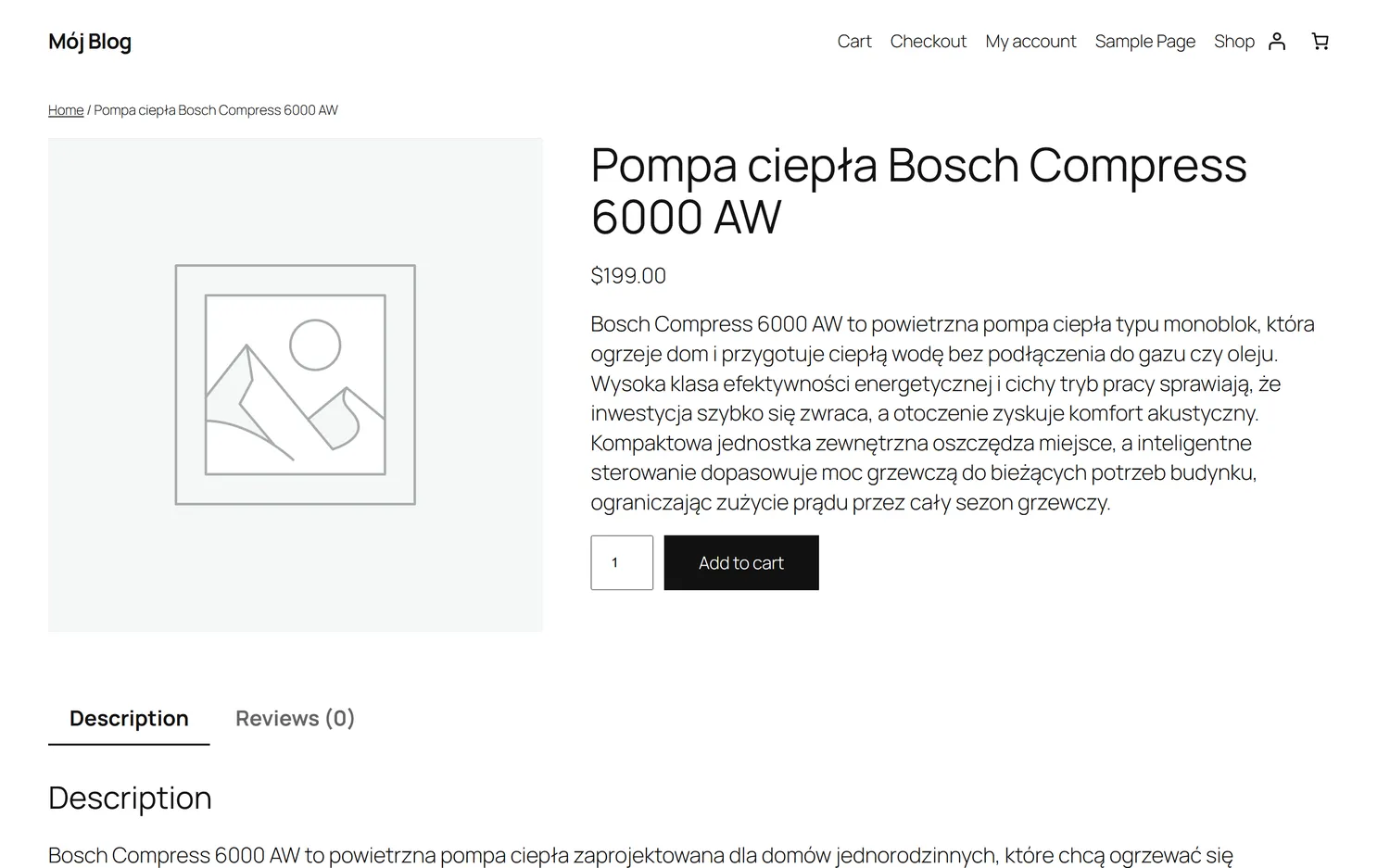
Each text goes exactly into the field you picked — the short description next to the price, the full one in the tab below. No copying, no pasting, no formatting.
Two fields, two different jobs
WooCommerce shows descriptions in two places. Smart-Copy writes for each of them separately.
Short description — next to the price
The first lines a shopper sees before scrolling. It has to sell: the specifics, the benefit, who it is for. Usually 300–600 characters, no headings.
Main description — the tab below
Room for detail: use cases, specifications, how it differs from similar models. This is the one that works for search visibility. Usually 1,500–4,000 characters.
What the plugin never does to your shop
- ✓ It never overwrites product photos — existing images stay untouched, and a new one is only set where there is none at all.
- ✓ It never changes prices, stock levels, variants or categories.
- ✓ It never creates products — it only writes into the ones you select.
- ✓ It never touches a field you did not pick: generate a short description and the main one stays as it was.
Common questions
What does describing a whole shop cost? +
Every description is billed like a regular text, by length. A short description (500 characters) is about $0.55, a main description (2,000 characters) about $2.10. Before you order anything the screen shows the total for the selected products, and you get a confirmation with the amount before it is sent.
How many products can I select at once? +
Up to 200 in one batch. The order is sent in groups of 10, in the background — you do not have to keep the browser tab open.
Will it overwrite the descriptions I already have? +
Only in the products you select, and only in the field you pick. The „only without a description” filter lets you limit yourself upfront to products that have no main description yet.
How does the AI know what the product is? +
It starts from the product name in your shop plus the guidelines you set for the batch — for example the target customer, the tone, or the specifications to emphasise. Web research is added on top.
Is this safe to run on a live shop? +
The plugin writes only into the chosen description field of the products you select. It does not touch photos, prices, stock levels or variants, and it neither creates nor deletes products.
My shop is not on WordPress — will this work? +
This screen works in WooCommerce, because the plugin reads the products directly from the shop. For other platforms there is a public API you can use to order descriptions from your own system.
Start with a handful of products
Select the ones without a description, check the result, then roll it out to the rest of the shop.